If you’re looking to upgrade your home security without very costly or hiring installers, the SimpliSafe app might be exactly what you need. SimpliSafe has built a reputation for making professional-grade security accessible to DIY homeowners, and their mobile app is the central hub for everything. Whether you’re protecting a small apartment or a sprawling house, the app lets you monitor your system, receive alerts, and arm or disarm your security setup from anywhere. This guide walks you through what the SimpliSafe app actually does, why homeowners choose it, and how to get the most out of it in 2026.
Table of Contents
ToggleKey Takeaways
- The SimpliSafe app serves as a digital control panel that lets you monitor, arm, disarm, and receive real-time alerts from your home security system anywhere via smartphone.
- Real-time notifications identify exactly which sensor triggered, its location, and timestamp, while custom rules let you adjust alert preferences for different modes like Home Mode and Away Mode.
- SimpliSafe’s DIY installation takes 30 minutes to an hour with no technician required—simply place the hub near your router, mount wireless sensors on doors and windows, and connect through the app’s setup wizard.
- Remote monitoring displays live dashboards of all zones and optional camera feeds, providing peace of mind whether you’re at work or away from home.
- Strategic placement of motion sensors at entry points (4–6 feet high), strong WiFi coverage for your hub, and pairing cameras with the SimpliSafe app maximize system effectiveness and reduce false alarms.
- Choosing between self-monitoring or 24/7 professional monitoring determines your responsibility level, so select a plan that matches your lifestyle and comfort with handling security responses.
What Is the SimpliSafe App and How Does It Work?
The SimpliSafe app is a mobile application that puts your entire security system in your pocket. It connects to SimpliSafe’s wireless base station (called a hub), which communicates with door sensors, window sensors, motion detectors, and cameras throughout your home. Think of it like a digital control panel that you can access from your phone instead of being stuck to your wall.
Once you install your SimpliSafe hardware, a straightforward process for most homeowners, you download the app, sign in with your account, and connect it to your hub. The connection happens over your home WiFi and the cellular backup that SimpliSafe’s system provides. The app shows the status of every sensor and device in real time. If a door opens or motion is detected, you see it immediately on your screen, no matter where you are.
Under the hood, SimpliSafe uses a combination of professional monitoring and app-based alerts. You can choose monitoring plans that range from self-monitoring (where you handle alerts yourself) to 24/7 professional monitoring, where SimpliSafe’s team responds to alarms and can dispatch emergency services if needed. The app is the interface that makes all of this possible, it’s how you control what happens and how you stay informed. Recent smart home technology news shows that app-based security has become increasingly central to how homeowners manage their properties.
Key Features That Make SimpliSafe Stand Out
Real-Time Alerts and Notifications
Real-time notifications are where the SimpliSafe app proves its worth. When a sensor is triggered, a door opens, motion is detected, or smoke is sensed, you get an instant push notification to your phone. The alert tells you which sensor triggered, where in your home it happened, and what time it occurred. This matters because you’re not waiting hours to find out if someone entered through your garage or if that motion was just your cat.
You can customize which alerts you receive and how you receive them. Want notifications for every door opening, or just when you’re away? The app lets you set rules. Some homeowners turn off motion alerts when they’re home but keep door/window alerts on. Others create profiles for “Away Mode” and “Home Mode” that automatically adjust what triggers notifications. The detail level is impressive, SimpliSafe doesn’t just tell you movement was detected: it tells you which motion sensor detected it.
Remote System Control and Monitoring
The core of the app is remote control and monitoring. You can arm or disarm your system from anywhere without needing to touch a keypad. This is genuinely convenient: you’re on your way to work and realize you’re not sure if you armed the system, so you open the app and verify it in seconds. If someone in your household forgets their code, you don’t need to be home to disarm, you manage it remotely.
Monitoring goes beyond arming and disarming. The app provides a live dashboard showing the status of every zone in your system. Each sensor, front door, back door, kitchen window, garage motion sensor, appears on the dashboard with a green checkmark when all is secure and a red alert when something’s triggered. If you add cameras to your SimpliSafe system, the app includes live video feeds. You can check on your front door camera while you’re at work or see what’s happening in your living room in real time. Professional product reviews from Tom’s Guide often highlight remote monitoring as essential for peace of mind, and SimpliSafe delivers on that front.
Getting Started: Installation and Setup
SimpliSafe’s installation process is designed for homeowners, not licensed technicians. You receive a kit with a hub, a few door/window sensors, a motion sensor, and sometimes a keypad. Unbox everything, place the hub somewhere central in your home (near your router is ideal), and plug it in. The hub needs a strong WiFi signal and also includes a cellular backup, so you’re never without connection even if your internet goes down.
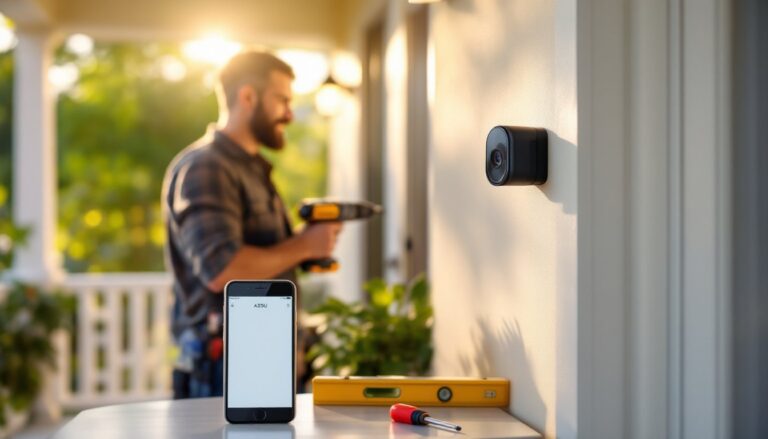
Next, you install the wireless sensors. Door and window sensors come in two pieces, a transmitter that sticks to the door or window frame and a magnet that sticks to the moving part. When the door or window opens, the magnet pulls away, triggering the sensor. Use 3M adhesive strips or small screws to mount them. They’re lightweight, so adhesive usually works fine, but screws provide a more permanent hold if you’re concerned about durability.
Motion sensors mount on a wall or shelf pointing into the area you want to monitor. Most SimpliSafe motion detectors have a range of 30 feet and a 110-degree viewing angle, so position them to cover entry points and main living areas. Avoid pointing them at windows or heat sources like radiators, which can cause false alarms.
Once hardware is in place, download the SimpliSafe app from your phone’s app store, create or log into your account, and follow the in-app setup wizard. The app guides you through connecting the hub to WiFi, naming each sensor and device, and assigning them to rooms. The entire process typically takes 30 minutes to an hour. No technician visit needed, no monthly installation fees, you’re the installer. If you prefer professional installation, SimpliSafe offers it, but most DIY homeowners skip it. Installation is straightforward enough for anyone comfortable following on-screen prompts.
Practical Tips for Maximizing Your SimpliSafe System
Here are the real-world moves that SimpliSafe owners recommend:
Test your setup before relying on it. Arm the system, trigger a few sensors, and confirm that notifications arrive on your phone and that the app responds when you disarm remotely. If something doesn’t work, troubleshoot it now, not when you actually need it.
Use custom modes and automation. The app lets you create profiles like “Work Mode,” “Night Mode,” and “Away.” Set up each mode to automatically arm/disarm specific zones and adjust notification settings. Night Mode might arm all perimeter doors but keep interior motion sensors off so you don’t trigger alerts moving around your house. This isn’t just convenient, it reduces false alarms and stress.
Place motion sensors strategically. A sensor in a hallway where you walk every night is useless if it’s triggered constantly during Home Mode. Put them in entry corridors and near windows, not in high-traffic living spaces. Mounting height matters too, most work best at 4-6 feet high.
Keep your hub in a good WiFi spot. A hub tucked in a basement corner far from your router will struggle with connectivity and slow down your app response time. Place it somewhere central with a decent signal.
Pair the app with SimpliSafe cameras if budget allows. The app’s value multiplies when you add a camera. Seeing who’s at your door in real time, not just knowing a motion sensor triggered, changes everything. Technology buying guides regularly feature SimpliSafe camera setups because the integration is seamless and the app experience is smooth.
Check your monitoring plan. If you go with self-monitoring, you’re on the hook to respond to alerts and call emergency services if needed. Professional monitoring costs a bit more monthly but takes that responsibility off your shoulders. Make sure your choice matches your comfort level and lifestyle.
Conclusion
The SimpliSafe app isn’t just a luxury, it’s the entire reason SimpliSafe works as a system. It turns a collection of sensors into an organized, responsive security network you control from your phone. Installation is a genuine DIY job, setup takes an afternoon, and the app’s interface is intuitive enough that most homeowners pick it up immediately. If you’re tired of paying for professional installation or you want the flexibility to adjust your security without waiting for a technician, SimpliSafe’s DIY model and capable app deliver real value.