When it comes to protecting your home, AOSU security cameras have become a popular choice among DIY homeowners looking for straightforward, reliable monitoring without very costly. Unlike some brands that require professional installation or proprietary subscriptions, AOSU offers flexibility and ease of use that appeals to anyone willing to spend an afternoon with basic tools. This guide walks you through what makes AOSU stand out, how to install them yourself, and whether they’re the right fit for your home’s security needs.
Table of Contents
ToggleKey Takeaways
- AOSU security cameras offer affordable 1080p to 2K video quality with DIY-friendly installation, requiring no professional setup or mandatory subscriptions.
- Local storage compatibility with microSD cards keeps your footage private and secure while avoiding recurring cloud subscription costs, making AOSU a cost-effective option over time.
- Motion detection, person detection, and two-way audio are standard features that reduce false alarms and let you communicate with visitors or deter intruders remotely.
- AOSU cameras support dual-band Wi-Fi and work with popular smart home platforms like Google Home and Alexa, though HomeKit compatibility varies by model.
- For a typical three-camera home setup, AOSU costs $200–$400 upfront with minimal ongoing expenses, making it ideal for DIY homeowners prioritizing control and affordability.
What Is AOSU and Why Homeowners Are Choosing This Brand
AOSU is a home security camera manufacturer focused on delivering solid video quality and user-friendly installation at mid-range pricing. The brand competes directly with established names like Ring and Wyze by offering cameras that don’t require as much technical hand-holding during setup. What makes AOSU appealing is its straightforward approach: plug in power, connect to Wi-Fi, and you’re monitoring within minutes.
Homeowners choose AOSU for a few practical reasons. First, the cameras are affordable without sacrificing resolution, most models shoot in 1080p to 2K, which is plenty for identifying faces or package thieves at your doorstep. Second, AOSU doesn’t lock you into mandatory cloud storage or subscription fees, though optional plans exist if you want 24/7 recording backup. Third, installation is genuinely DIY-friendly: no cutting drywall, no running ethernet cables through walls, and no electrician required for powered models.
The brand also avoids some of the privacy concerns that plague larger platforms. AOSU stores footage locally on SD cards or through your own network, giving you more control over where your data sits. If privacy and self-sufficiency matter to you, that’s a significant draw compared to purely cloud-dependent systems.
Key Features That Make AOSU Stand Out
AOSU cameras pack several features that justify their price point without unnecessary bloat. Most models include motion detection, person detection, and smart alerts, meaning your phone gets pinged when movement or a person appears, not every time a leaf blows past the lens. This cuts down on false alarms that turn you off to genuine notifications.
Two-way audio is standard on AOSU cameras, letting you speak to delivery personnel or deter intruders from your phone. The microphone picks up sound clearly indoors: outdoor models handle wind noise reasonably well, though harsh weather can degrade audio quality.
Night vision uses infrared LEDs on most models, providing monochrome footage in complete darkness without adding much power draw. Some premium AOSU cameras add color night vision, which uses ambient light and AI to deliver color footage even at night, useful if you need to identify clothing colors or vehicle details. The downside is it drains battery-powered models faster.
One feature worth highlighting: local storage compatibility. Rather than forcing you into a subscription, AOSU cameras accept microSD cards (usually up to 256GB or 512GB) for onboard recording. This means footage stays in your hands and costs nothing after the initial card purchase. For comparison, Smart home product reviews, and AOSU delivers here.
Installation Tips for DIY Enthusiasts
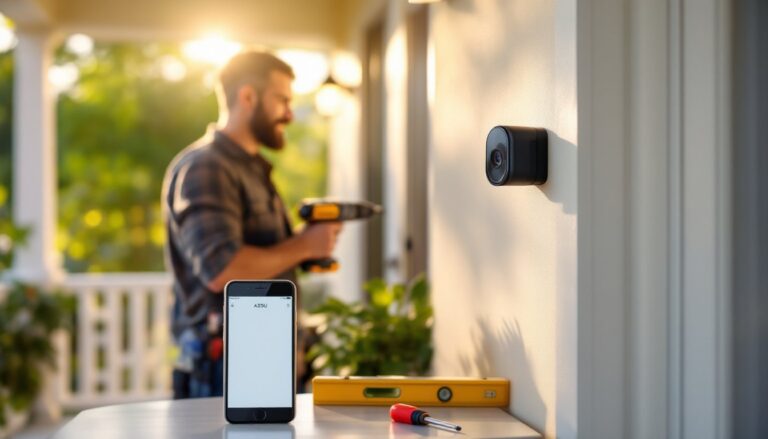
Installing AOSU cameras is straightforward if you follow a few practical steps. Start by deciding placement: entrances, driveways, and blind spots around your home are obvious choices. Outdoor models need weatherproof mounting brackets (included): indoor cameras can sit on shelves or use simple adhesive mounts.
For powered (wired) models, run power cables along baseboards or under trim where they won’t be a tripping hazard or eyesore. If you’re running cable outdoors, use weatherproof conduit or cable clips rated for exterior use to avoid damage from sun, moisture, or animals.
Before mounting, ensure your Wi-Fi signal is strong where the camera will sit. Test signal strength with your phone first, a weak signal causes disconnects and buffering during live view. If coverage is weak, consider moving your router or adding a mesh Wi-Fi system.
Mounting itself requires basic hand tools: a drill with a 1/4-inch bit, a level, and a driver bit. Most AOSU kits include anchors for drywall: if you’re drilling into brick or stucco, use masonry anchors rated for outdoor use. Mount the camera at 7 to 9 feet high to capture faces without looking straight up nostrils, and angle it slightly downward.
Video Quality and Night Vision Performance
AOSU’s 1080p to 2K resolution delivers crisp daytime footage with decent detail on faces and license plates at typical doorway distances. Bitrate averaging 2 to 4 Mbps keeps file sizes reasonable without obvious pixelation.
Night vision quality varies by model. Standard infrared produces clean monochrome footage but lacks depth perception, objects can look flat in complete darkness. Color night vision preserves detail and color, but relies on available ambient light from street lamps, porch lights, or nearby businesses. In pitch-black conditions, color night vision falls back to infrared, so don’t expect full color in a completely dark backyard.
Low-light performance is where AOSU holds up against pricier options. According to product reviews from CNET, many mid-range cameras struggle with shadow detail and noise in dawn or dusk lighting, but AOSU models handle this reasonably well thanks to decent sensor quality and adaptive frame rate adjustments.
Connectivity and Smart Home Integration
AOSU cameras connect via Wi-Fi 5GHz or 2.4GHz dual-band, giving you flexibility if your home has coverage gaps. The 2.4GHz band travels farther through walls: 5GHz offers faster speeds if you’re close to the router. Both work fine for video streaming.
Setup is handled through the AOSU mobile app (iOS/Android), which walks you through account creation, Wi-Fi pairing, and initial configuration. Once online, live view streams directly to your phone with minimal latency, usually under 2 seconds, which is acceptable for a security camera.
Smart home integration is where AOSU is practical but not cutting-edge. Most models support Google Home and Alexa, letting you voice-command live view on smart displays. If you have a large smart home ecosystem, AOSU cameras won’t be the nerve center, but they play nicely with other devices.
One limitation: AOSU doesn’t integrate with complex automation platforms like Apple HomeKit (though this is changing with newer models). If HomeKit compatibility is critical, verify your specific AOSU model supports it before buying.
Cloud backup and optional 24/7 recording plans are available through the app. Pricing for cloud plans typically runs $2–$5 per camera per month, which is competitive. But, home appliance reviews often, and AOSU supports both approaches, letting you choose based on your privacy comfort level.
Cost-Benefit Analysis: Is AOSU Right for Your Home
AOSU cameras typically cost $50–$150 per unit depending on features and resolution, with bundles offering modest discounts. For a typical home (front door, back patio, driveway), expect a three-camera setup to run $200–$400 before tax, plus any optional local storage cards.
The real value emerges over time. Unlike Ring, which bundles features into higher price tags ($100–$250 per camera), AOSU keeps base costs low while offering optional upgrades. If you skip cloud subscriptions and use local storage, your year-two costs are nearly zero except for electricity (which is negligible, most models draw under 10W).
When is AOSU the right choice? You’re a good fit if you:
- Prefer DIY installation over hiring a professional installer
- Want local storage control without mandatory subscriptions
- Need reliable video without fancy AI features (person detection is enough)
- Have decent home Wi-Fi already in place
- Aren’t deeply invested in one smart home ecosystem
When to look elsewhere: Skip AOSU if you need HomeKit support (verify compatibility first), demand 4K resolution, or want professional 24/7 monitoring with emergency response. Those features exist in higher-end systems but add significant cost.
For most homeowners, AOSU hits a sweet spot: good enough video quality, straightforward setup, and fair pricing. You’re not paying for brand prestige or unnecessary features, just solid monitoring.
Conclusion
AOSU security cameras deliver practical home monitoring without the complexity or cost of professional-grade systems. Their emphasis on DIY-friendly installation, local storage control, and honest feature sets makes them a sensible choice for homeowners who want to take security into their own hands. Start with one or two cameras to test your setup, then expand if needed. That’s the DIY approach, measure twice, install once.